The Method tab
Audience: operators authoring or editing methods.
Scope: how the Method tab edits a .method.toml file — the toolbar,
the step table, the per-step detail form, the profile graph, save and
validate semantics.
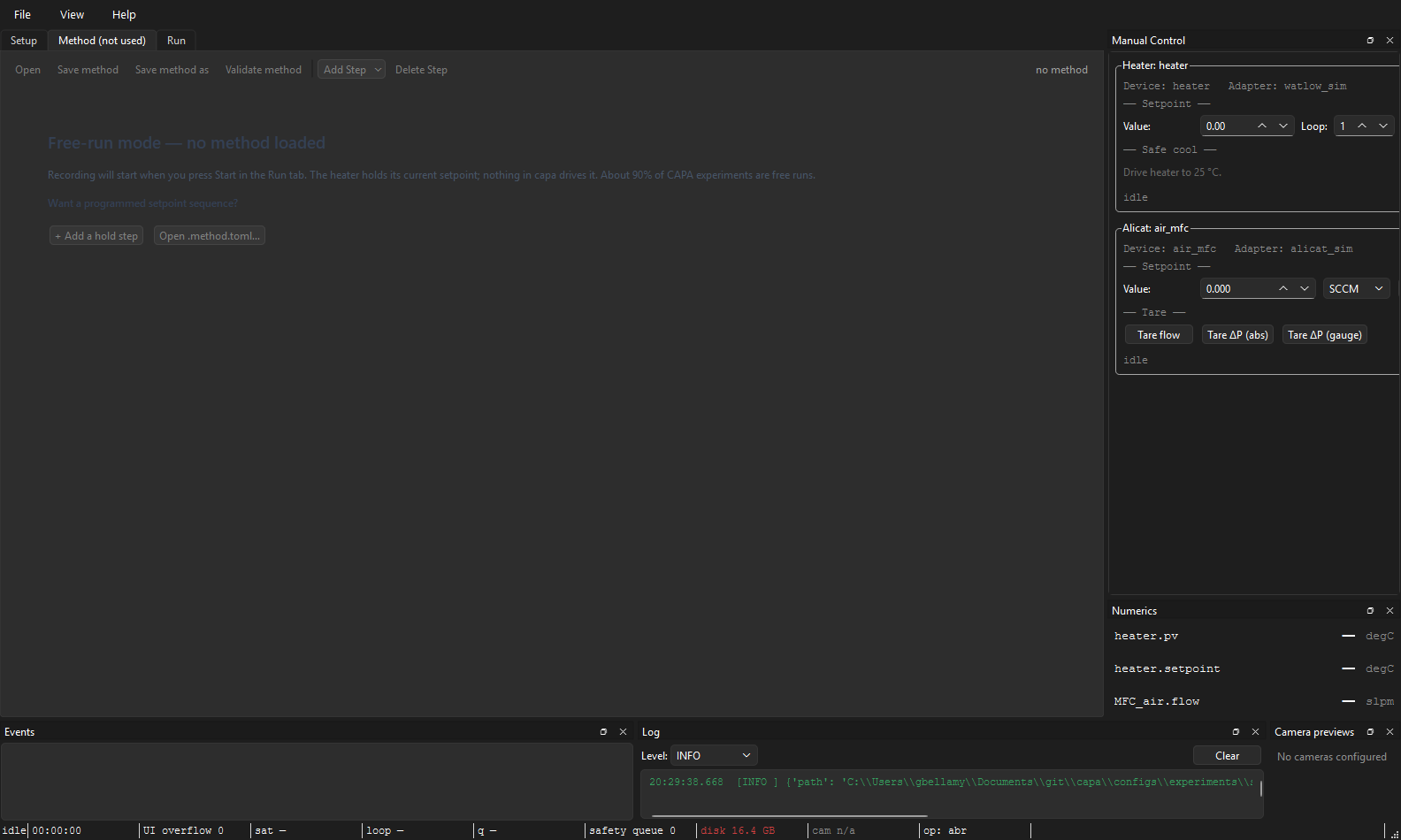
Most CAPA runs don't use a method. About 90% of CAPA experiments hold a single setpoint and never leave it. The Method tab is empty in those — that's free-run mode and it's the intended default. Read on only if you're scripting a ramp, multi-step program, or hand-off to a custom procedure.
For the on-disk schema and field reference, see Method TOML. For what each step does at run time (timing, conditions, fault behaviour), see Method steps reference. This page is the GUI only.
Anatomy
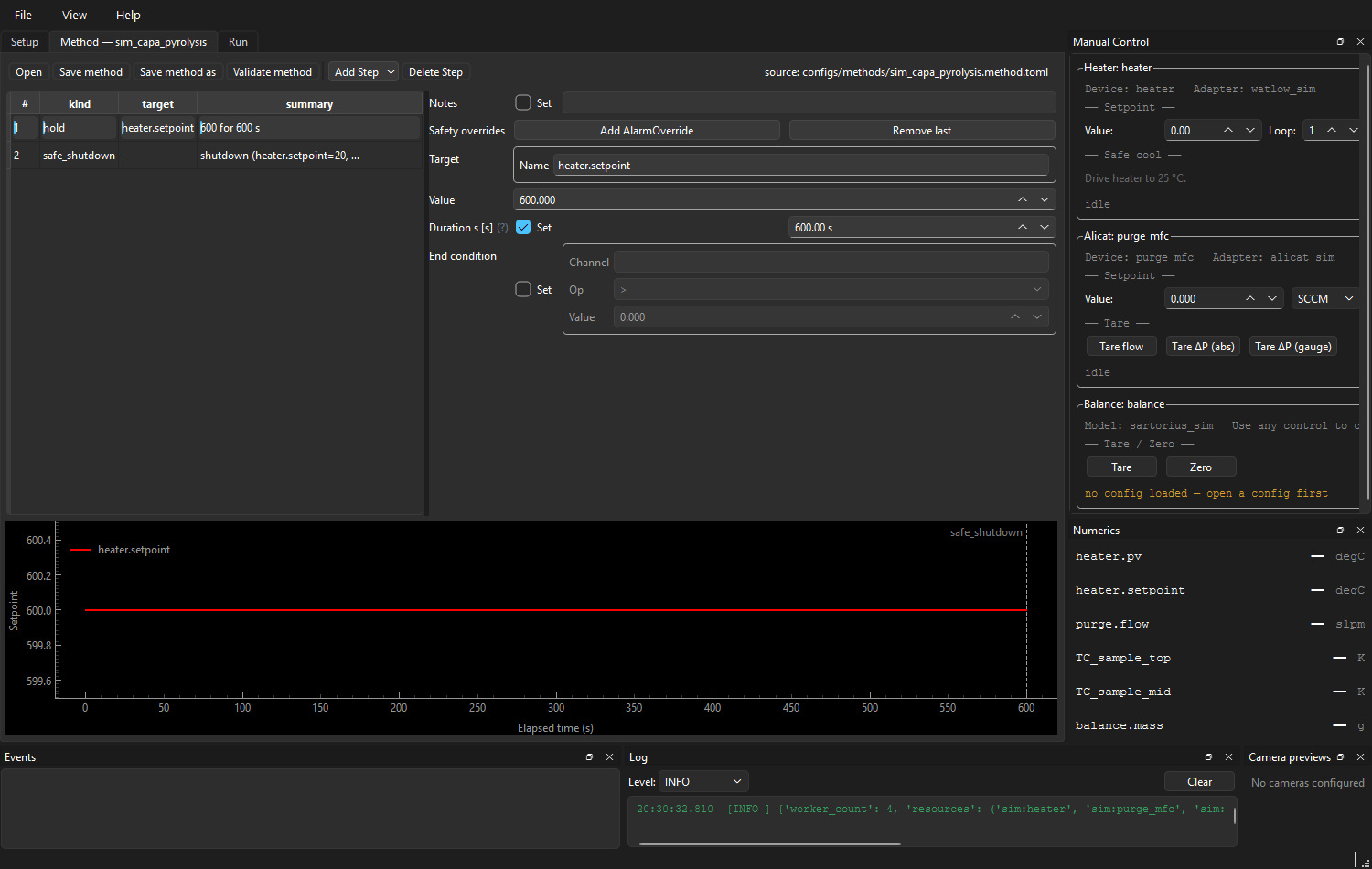
┌──────────────────────────────────────────────────────────────────────┐
│ Open  Save  Save As  Validate │  [+ Add Step ▾]  Delete Step         │  ← toolbar
│                                              source: configs/…       │
├──────────────────────────────────────────────────────────────────────┤
│  ┌─────────────────────┬──────────────────────────────────────────┐  │
│  │ # │ kind  │ summary │  Step detail (auto-form)                 │  │  ← step table
│  │ 1 │ Hold  │ heater… │  target.name:  heater.setpoint           │  │     + detail
│  │ 2 │ Ramp  │ heater… │  value:        25.0  °C                  │  │
│  │ 3 │ Safe… │ cool to │  duration_s:   60                        │  │
│  │   │       │         │  end_condition: (none)                   │  │
│  └─────────────────────┴──────────────────────────────────────────┘  │
│  ┌────────────────────────────────────────────────────────────────┐  │
│  │ setpoint (°C)                                                  │  │
│  │  100 ┤                  ╱──────                                │  │  ← profile graph
│  │   75 ┤              ╱                                          │  │
│  │   50 ┤          ╱                                              │  │
│  │   25 ┤──────╱            ╲────                                 │  │
│  │      └────────────────────────────► elapsed (s)                │  │
│  └────────────────────────────────────────────────────────────────┘  │
└──────────────────────────────────────────────────────────────────────┘
When the method has zero steps, the table/detail/graph stack is replaced with a free-run-mode placeholder explaining what will happen if you hit Start with no method loaded, and offering one-click shortcuts to + Add a hold step or Open .method.toml….
A loaded multi-step method shows the table, detail form, and profile graph in one stack:
Toolbar
| Action | What it does |
|---|---|
| Open | File picker (*.toml). Validates and loads, or shows the parse / validation error in a modal. |
| Save | Write back to the source path. Validates first; refuses to write if the method is incomplete (see Save & Validate). |
| Save As | Pick a new path; appends .toml if missing. |
| Validate | Surface the step count or the first failing field, without writing. |
| + Add Step ▾ | Submenu listing the eight step kinds (below). |
| Delete Step | Remove the selected row. |
The right-aligned source label shows where the current method came
from: a file path, "<name> (unsaved)" for new methods, or "no method"
when empty.
Step kinds
The Add Step menu offers eight kinds:
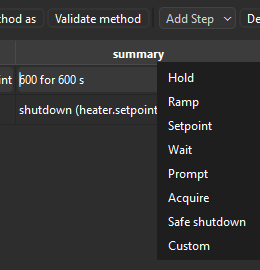
| Kind | Purpose | Minimum fields the form requires |
|---|---|---|
| Hold | Command a setpoint and wait. | target.name, value, one of duration_s or end_condition |
| Ramp | Linearly walk a setpoint from current value to end_value. |
target.name, end_value, one of rate_per_second or duration_s |
| Setpoint | Command a setpoint, no wait. | target.name, value |
| Wait | Idle / wait for a condition (no control changes). | one of duration_s or end_condition |
| Prompt | Pause until the operator clicks the prompt dialog. | message |
| Acquire | Record without commanding anything; useful for "just sit and capture data for N seconds." | duration_s |
| Safe shutdown | Drive named channels to safe values (cooldown). Procedures may also invoke it explicitly during cleanup. | cool_target ({channel_name: setpoint} dict) |
| Custom | Hand control to a plugin-registered handler. | handler_id |
Each Add inserts a row after the current selection with sane defaults
(e.g. Hold = heater.setpoint, 25 °C, 60 s). Defaults are deliberately
tame — a hold at 25 °C for 60 s won't damage a real reactor if the
operator forgets to edit it.
The new row is selected immediately so the detail panel surfaces its form for editing.
Step detail (auto-form)
The right pane is a Pydantic-driven auto-form for the selected step.
Every field is unit-aware where applicable (the spinbox suffix is the
expected unit; the form converts on edit). The form's kind field is
hidden because the row's kind is fixed at insertion — change kind by
deleting and re-adding.
Edits flow back into the step table immediately. If the edit makes the
step invalid (e.g. a Hold with neither duration_s nor end_condition),
the offending field gets an inline marker; the previous valid row stays
in the model until you fix the field. The graph and table never show a
half-valid step.
Profile graph
The lower pane plots commanded setpoint vs. elapsed time. It refreshes
on every edit, so dragging a Ramp's duration_s from 60 to 600 visibly
flattens the slope.
What the graph doesn't show:
- Process values (PVs). The graph is a commanded-setpoint preview, not a simulation. Whether the heater can actually reach 1000 °C in your ramp time depends on the rig, not the method.
- End-condition steps. A Hold whose
end_conditiontriggers on mass loss is plotted as a single horizontal segment at the commanded value with no duration estimate — there's no way to know how long it will hold in advance.
Save and Validate
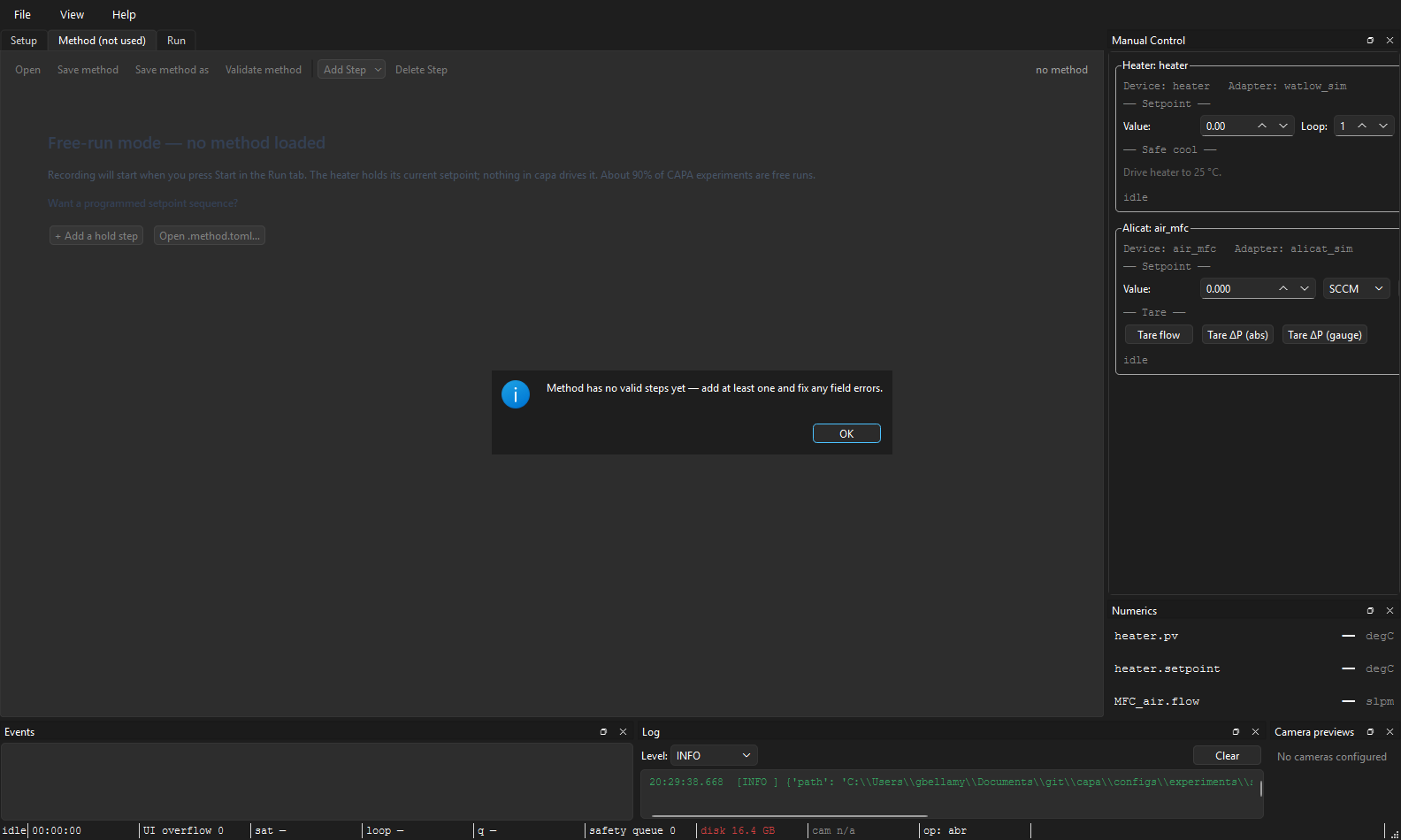
Save validates before writing. A method must satisfy the
Method Pydantic model (min_length=1 on steps, plus per-step
validators). If validation fails, Save shows a modal with the error
list and does not write the file. The next Save retry runs the same
validation.
Validators that catch the common foot-guns:
- Hold: at least one of
duration_sorend_condition. - Ramp: at least one of
rate_per_secondorduration_s(you can set both, but at least one is required). - Wait: at least one of
duration_sorend_condition.
Standalone Validate (toolbar button) does the same check without writing — useful before clicking Apply & Connect on the Setup tab, where the Method tab's in-memory buffer is composed with the experiment config.
How the Method tab and the Setup tab talk
The Method tab does not reach into the run controller. Instead:
- On successful Save, the tab emits
methodSaved(path). - The main window's
DocumentCoordinatormirrors the new path into the Setup draft'smethod:reference. The Setup tab's connection strip flips from CONNECTED → UNAPPLIED if the change isn't yet on the rig. - On Setup-tab Apply & Connect, the live method buffer (whatever the Method tab currently has, even if unsaved) is composed with the Setup config and pushed to the conductor. This is what makes "edit a setpoint, click Apply, click Start" work without saving in between.
When an experiment with no method: reference is loaded, the Method tab
is cleared and switches to the free-run placeholder pane — the displayed
state always agrees with the loaded experiment, even if it means dropping
in-progress edits.
See also: Method TOML, Method steps reference, The Setup tab, Aborting safely — for what Safe shutdown does beyond an explicit method step.